Introduction
This is a problem from picoMini by CMU-Africa. Since only 43% of people liked it and only 322 people solved it, I found it quite interesting and decided to write this write-up.
Problem link: Pico Bank
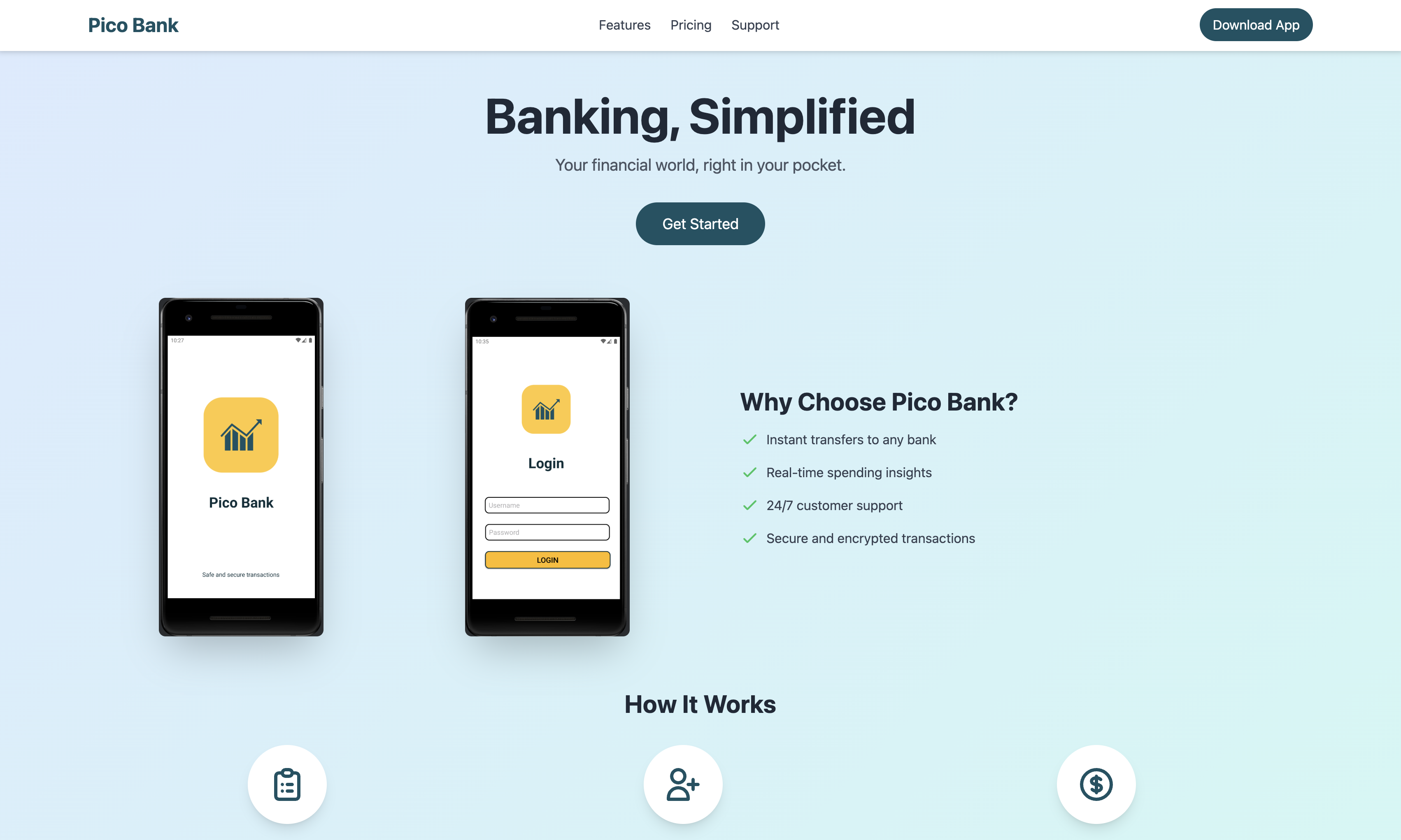
The problem provides an instance. Opening this link in a browser shows a webpage called Pico Bank, where you can find a link to download the pico-bank.apk file. Additionally, the problem hints mention someone named “johnson,” which is a very important clue. The problem also suggests that the flag will appear in two places: one in a special number in transactions, and the other in how OTP authentication is sent.
Solution
Running the APK
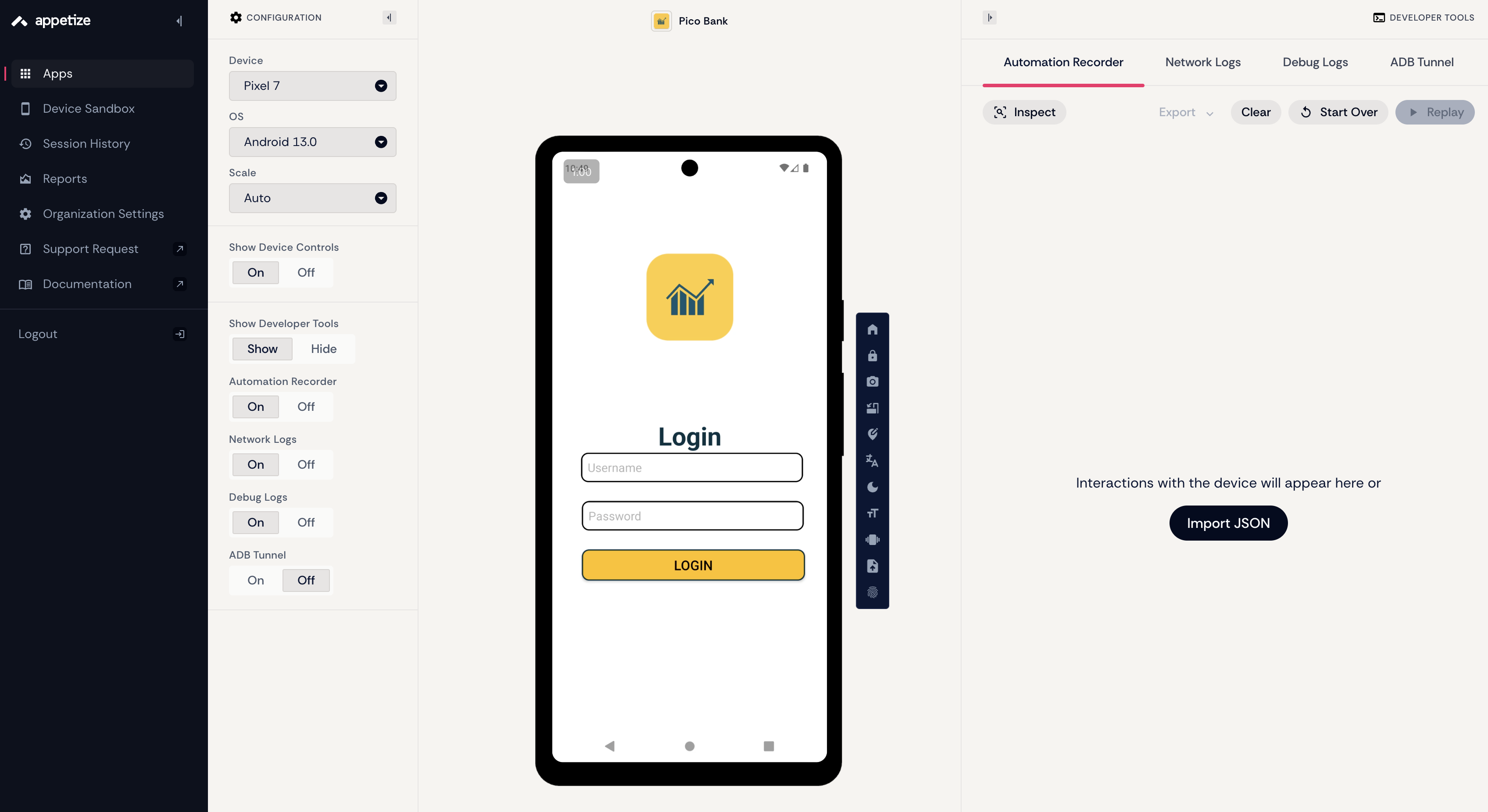
I didn’t use Android Studio or local virtual machines here (because my hard drive is almost full hahaha), but instead used a website that allows online virtual machine usage: https://appetize.io/. Its only drawback is that if you don’t interact with the virtual machine for more than 3 minutes, the session will be closed, but it’s already sufficient for free users.
Create a new project and put the APK file in it, and you’ll encounter the first challenge –> finding the username and password
Decompiling pico-bank.apk
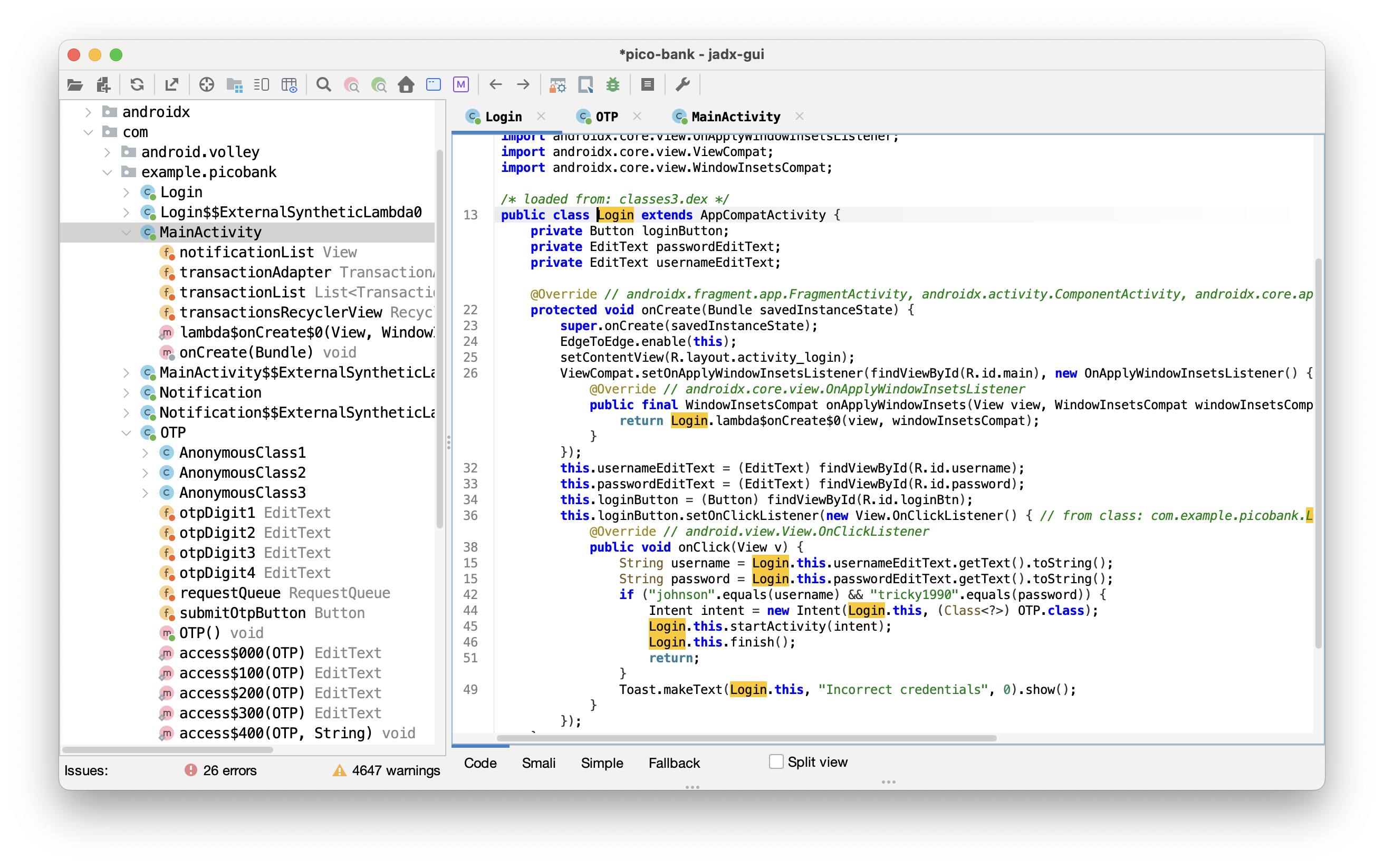
Here I first used the apktool tool for decompilation, and you can also directly use jadx-gui to view the Java source of the .apk file. The output language of apktool is smali, which you can modify and recompile (like changing the username and password to what you want); while jadx tries to restore .dex to Java but sometimes it can be weird, use it depending on the situation! I’m using it for the first time so I downloaded both to try out
$ apktool d pico-bank.apk
I: Using Apktool 2.12.1 on pico-bank.apk with 8 threads
I: Baksmaling classes.dex...
I: Loading resource table...
I: Baksmaling classes3.dex...
I: Baksmaling classes2.dex...
I: Decoding file-resources...
I: Loading resource table from file: /Users/mac/Library/apktool/framework/1.apk
I: Decoding values */* XMLs...
I: Decoding AndroidManifest.xml with resources...
I: Copying original files...
I: Copying unknown files...
Observing the contents under the pico-bank directory, use tools like VSCode or Telescope that can search directory file contents to search for “johnson,” and you’ll find clues in the file pico-bank/smali_classes3/com/example/picobank/Login$1.smali, including hardcoded username and password values, which are johnson and tricky1990 respectively.
# virtual methods
.method public onClick(Landroid/view/View;)V
    .locals 5
    .param p1, "v"    # Landroid/view/View;

    .line 39
    iget-object v0, p0, Lcom/example/picobank/Login$1;->this$0:Lcom/example/picobank/Login;

    invoke-static {v0}, Lcom/example/picobank/Login;->access$000(Lcom/example/picobank/Login;)Landroid/widget/EditText;

    move-result-object v0

    invoke-virtual {v0}, Landroid/widget/EditText;->getText()Landroid/text/Editable;

    move-result-object v0

    invoke-virtual {v0}, Ljava/lang/Object;->toString()Ljava/lang/String;

    move-result-object v0

    .line 40
    .local v0, "username":Ljava/lang/String;
    iget-object v1, p0, Lcom/example/picobank/Login$1;->this$0:Lcom/example/picobank/Login;

    invoke-static {v1}, Lcom/example/picobank/Login;->access$100(Lcom/example/picobank/Login;)Landroid/widget/EditText;

    move-result-object v1

    invoke-virtual {v1}, Landroid/widget/EditText;->getText()Landroid/text/Editable;

    move-result-object v1

    invoke-virtual {v1}, Ljava/lang/Object;->toString()Ljava/lang/String;

    move-result-object v1

    .line 42
    .local v1, "password":Ljava/lang/String;
    const-string v2, "johnson"

    invoke-virtual {v2, v0}, Ljava/lang/String;->equals(Ljava/lang/Object;)Z

    move-result v2

    if-eqz v2, :cond_0

    const-string v2, "tricky1990"

    invoke-virtual {v2, v1}, Ljava/lang/String;->equals(Ljava/lang/Object;)Z

    move-result v2

    if-eqz v2, :cond_0

    .line 44
    new-instance v2, Landroid/content/Intent;

    iget-object v3, p0, Lcom/example/picobank/Login$1;->this$0:Lcom/example/picobank/Login;

    const-class v4, Lcom/example/picobank/OTP;

    invoke-direct {v2, v3, v4}, Landroid/content/Intent;-><init>(Landroid/content/Context;Ljava/lang/Class;)V

    .line 45
    .local v2, "intent":Landroid/content/Intent;
    iget-object v3, p0, Lcom/example/picobank/Login$1;->this$0:Lcom/example/picobank/Login;

    invoke-virtual {v3, v2}, Lcom/example/picobank/Login;->startActivity(Landroid/content/Intent;)V

    .line 46
    iget-object v3, p0, Lcom/example/picobank/Login$1;->this$0:Lcom/example/picobank/Login;

    invoke-virtual {v3}, Lcom/example/picobank/Login;->finish()V

    .line 47
    .end local v2    # "intent":Landroid/content/Intent;
    goto :goto_0

    .line 49
    :cond_0
    iget-object v2, p0, Lcom/example/picobank/Login$1;->this$0:Lcom/example/picobank/Login;

    const-string v3, "Incorrect credentials"

    const/4 v4, 0x0

    invoke-static {v2, v3, v4}, Landroid/widget/Toast;->makeText(Landroid/content/Context;Ljava/lang/CharSequence;I)Landroid/widget/Toast;

    move-result-object v2

    invoke-virtual {v2}, Landroid/widget/Toast;->show()V

    .line 51
    :goto_0
    return-void
.end method
Android APKs contain .dex files (Dalvik Executable), which is the bytecode format executed by Android. Since decompilation can’t directly become Java code, it can still become human-readable .smali, which is something like assembly language.
What is this code doing? Using the jadx tool to restore it to Java Login.java would look like this:
protected void onCreate(Bundle savedInstanceState) {
    super.onCreate(savedInstanceState);
    EdgeToEdge.enable(this);
    setContentView(R.layout.activity_login);
    ViewCompat.setOnApplyWindowInsetsListener(findViewById(R.id.main), new OnApplyWindowInsetsListener() { // from class: com.example.picobank.Login$$ExternalSyntheticLambda0
        @Override // androidx.core.view.OnApplyWindowInsetsListener
        public final WindowInsetsCompat onApplyWindowInsets(View view, WindowInsetsCompat windowInsetsCompat) {
            return Login.lambda$onCreate$0(view, windowInsetsCompat);
        }
    });
    this.usernameEditText = (EditText) findViewById(R.id.username);
    this.passwordEditText = (EditText) findViewById(R.id.password);
    this.loginButton = (Button) findViewById(R.id.loginBtn);
    this.loginButton.setOnClickListener(new View.OnClickListener() { // from class: com.example.picobank.Login.1
        @Override // android.view.View.OnClickListener
        public void onClick(View v) {
            String username = Login.this.usernameEditText.getText().toString();
            String password = Login.this.passwordEditText.getText().toString();
            if ("johnson".equals(username) && "tricky1990".equals(password)) {
                Intent intent = new Intent(Login.this, (Class<?>) OTP.class);
                Login.this.startActivity(intent);
                Login.this.finish();
                return;
            }
            Toast.makeText(Login.this, "Incorrect credentials", 0).show();
        }
    });
}
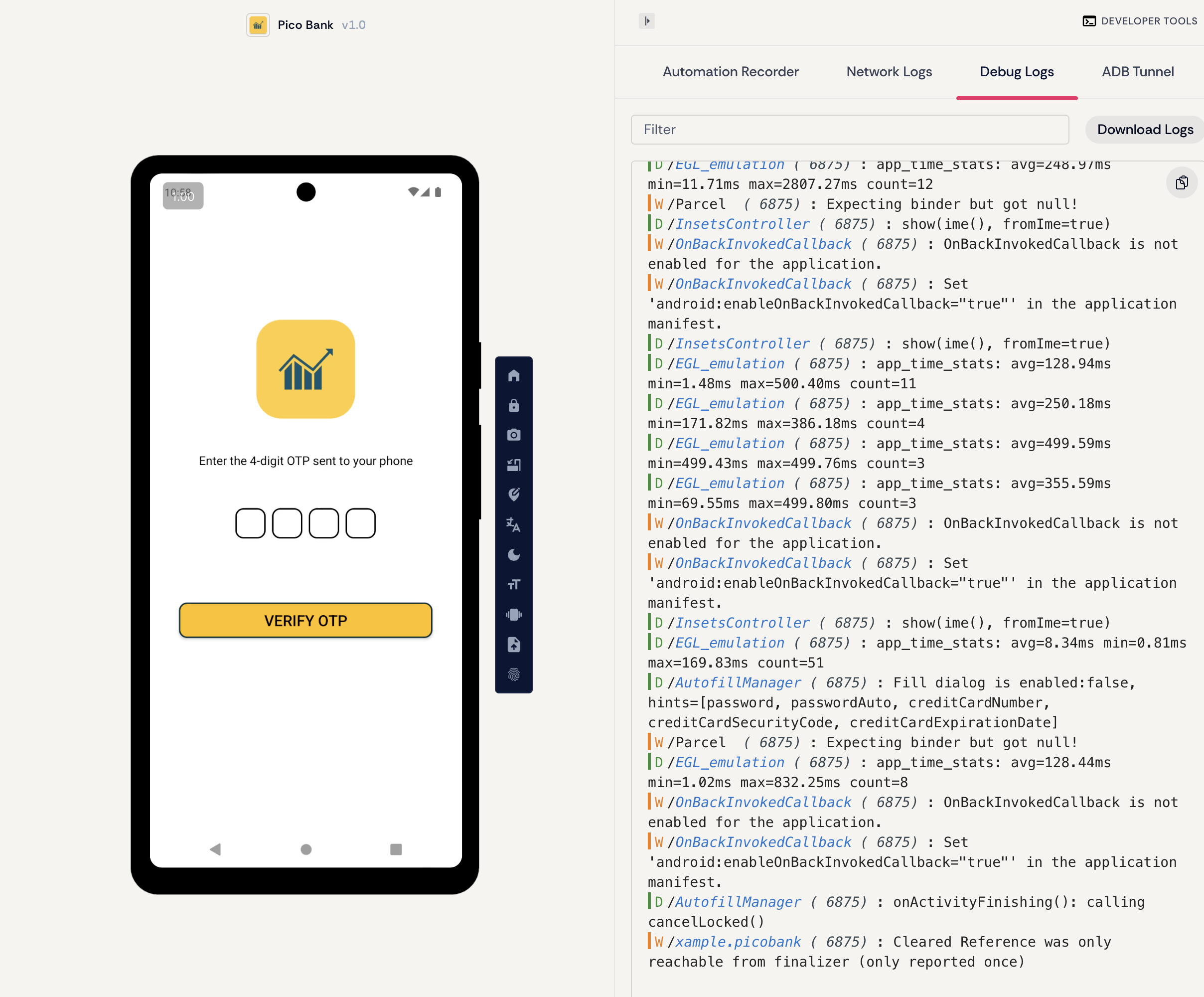
Going back to appetize, entering the username and password, you’ll find that this app also requires you to enter a four-digit OTP (one time password) code.
Going back to the .smali file, one line is:
const-class v4, Lcom/example/picobank/OTP;
With this clue, we can observe the file content of pico-bank/smali_classes3/com/exmaple/picobank/OPT.java and find a method called verifyOtp. I guess this is used to check the OTP value, which is otp_value.
public void verifyOtp(String otp) throws JSONException {
    String endpoint = "your server url/verify-otp";
    if (getResources().getString(R.string.otp_value).equals(otp)) {
        Intent intent = new Intent(this, (Class<?>) MainActivity.class);
        startActivity(intent);
        finish();
    } else {
        Toast.makeText(this, "Invalid OTP", 0).show();
    }
    JSONObject postData = new JSONObject();
    try {
        postData.put("otp", otp);
    } catch (JSONException e) {
        e.printStackTrace();
    }
    JsonObjectRequest jsonObjectRequest = new JsonObjectRequest(1, endpoint, postData, new Response.Listener<JSONObject>() { // from class: com.example.picobank.OTP.2
        @Override // com.android.volley.Response.Listener
        public void onResponse(JSONObject response) throws JSONException {
            try {
                boolean success = response.getBoolean("success");
                if (success) {
                    String flag = response.getString("flag");
                    String hint = response.getString("hint");
                    Intent intent2 = new Intent(OTP.this, (Class<?>) MainActivity.class);
                    intent2.putExtra("flag", flag);
                    intent2.putExtra("hint", hint);
                    OTP.this.startActivity(intent2);
                    OTP.this.finish();
                } else {
                    Toast.makeText(OTP.this, "Invalid OTP", 0).show();
                }
            } catch (JSONException e2) {
                e2.printStackTrace();
            }
        }
    }, new Response.ErrorListener() { // from class: com.example.picobank.OTP.3
        @Override // com.android.volley.Response.ErrorListener
        public void onErrorResponse(VolleyError error) {
        }
    });
    this.requestQueue.add(jsonObjectRequest);
}
Globally search for otp_value, and in pico-bank/res/values/strings.xml find the following OTP value:
<string name="otp_value">9673</string>
Go back to appetize and enter 9673! Successfully logged in! The problem hints that we can observe how Pico Bank sends OTP verification requests and what’s weird about the transactions.
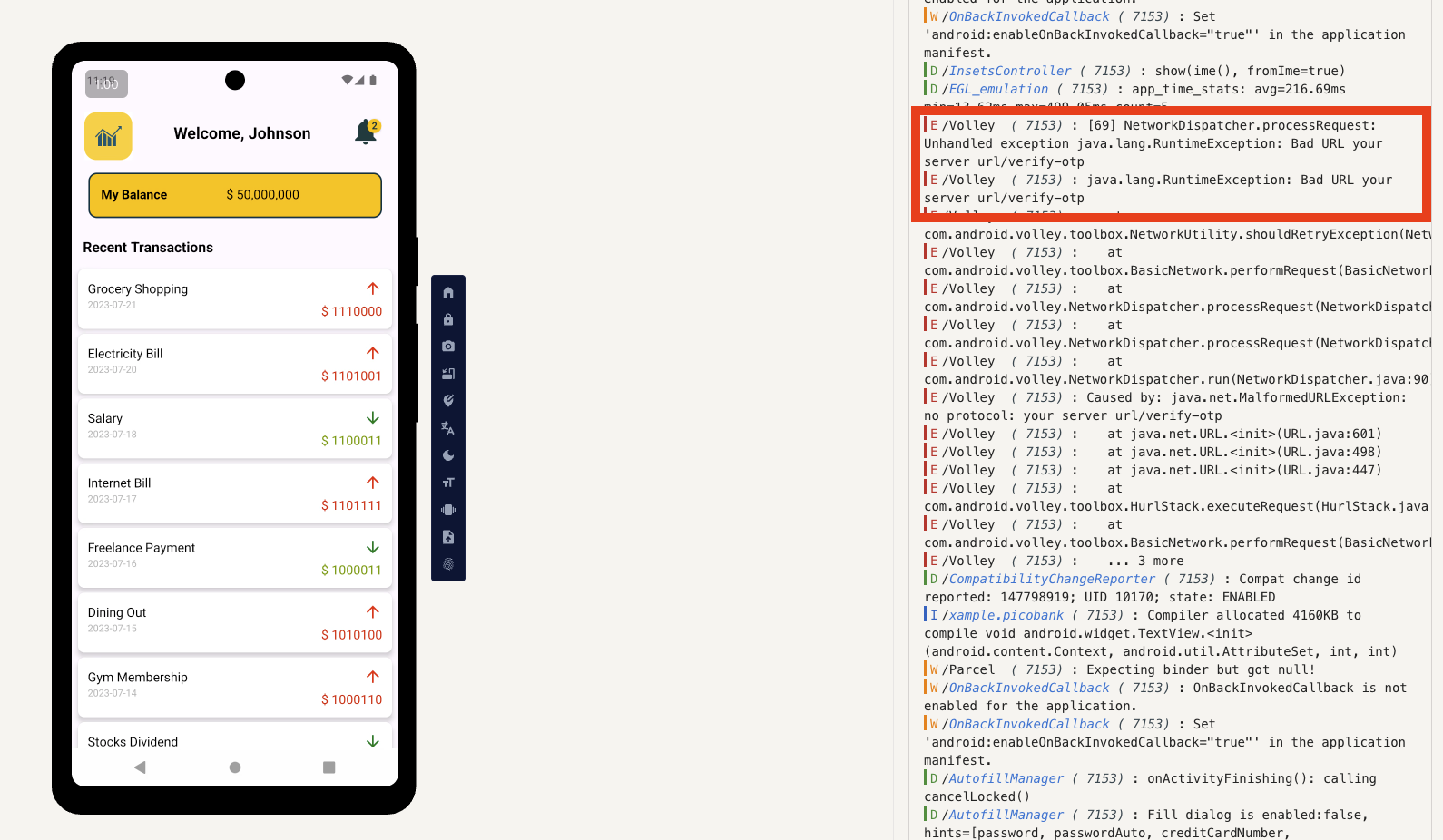
First, whose transaction system prices would be composed of 0s and 1s! Obviously something’s fishy; on the other hand, this /verify_otp seems to be a POST request, and it doesn’t have the correct URL written but instead the strange URL “your server url” in the OPT.smali file.
Sending requests to PicoCTF instance
Following this pattern, we send a request to the instance started in PicoCTF, and we found it!
curl -X POST 'http://amiable-citadel.picoctf.net:58064/verify-otp' \
-H 'Content-Type: application/json; charset=utf-8' \
-H 'Accept: application/json' \
-d '{"otp": "9673"}'
{"success":true,"message":"OTP verified successfully","flag":"s3cur3d_m0b1l3_l0g1n_c0085c75}","hint":"The other part of the flag is hidden in the app"}
But it’s only half of it, we still need to find the first part.
Interpreting the strange numbers in transactions
In MainActivity, you can see that these prices are all composed of 0s and 1s. Let’s write a simple Python script to process them.
this.transactionList.add(new Transaction("Grocery Shopping", "2023-07-21", "$ 1110000", false));
this.transactionList.add(new Transaction("Electricity Bill", "2023-07-20", "$ 1101001", false));
this.transactionList.add(new Transaction("Salary", "2023-07-18", "$ 1100011", true));
this.transactionList.add(new Transaction("Internet Bill", "2023-07-17", "$ 1101111", false));
this.transactionList.add(new Transaction("Freelance Payment", "2023-07-16", "$ 1000011", true));
this.transactionList.add(new Transaction("Dining Out", "2023-07-15", "$ 1010100", false));
this.transactionList.add(new Transaction("Gym Membership", "2023-07-14", "$ 1000110", false));
this.transactionList.add(new Transaction("Stocks Dividend", "2023-07-13", "$ 1111011", true));
this.transactionList.add(new Transaction("Car Maintenance", "2023-07-12", "$ 110001", false));
this.transactionList.add(new Transaction("Gift Received", "2023-07-11", "$ 1011111", true));
this.transactionList.add(new Transaction("Rent", "2023-07-10", "$ 1101100", false));
this.transactionList.add(new Transaction("Water Bill", "2023-07-09", "$ 110001", false));
this.transactionList.add(new Transaction("Interest Earned", "2023-07-08", "$ 110011", true));
this.transactionList.add(new Transaction("Medical Expenses", "2023-07-07", "$ 1100100", false));
this.transactionList.add(new Transaction("Transport", "2023-07-06", "$ 1011111", false));
this.transactionList.add(new Transaction("Bonus", "2023-07-05", "$ 110100", true));
this.transactionList.add(new Transaction("Subscription Service", "2023-07-04", "$ 1100010", false));
this.transactionList.add(new Transaction("Freelance Payment", "2023-07-03", "$ 110000", true));
this.transactionList.add(new Transaction("Entertainment", "2023-07-02", "$ 1110101", false));
this.transactionList.add(new Transaction("Groceries", "2023-07-01", "$ 1110100", false));
this.transactionList.add(new Transaction("Insurance Premium", "2023-06-28", "$ 1011111", false));
this.transactionList.add(new Transaction("Charity Donation", "2023-06-26", "$ 1100010", true));
this.transactionList.add(new Transaction("Vacation Expense", "2023-06-26", "$ 110011", false));
this.transactionList.add(new Transaction("Home Repairs", "2023-06-24", "$ 110001", false));
this.transactionList.add(new Transaction("Pet Care", "2023-06-22", "$ 1101110", false));
this.transactionList.add(new Transaction("Personal Loan", "2023-06-18", "$ 1100111", true));
this.transactionList.add(new Transaction("Childcare", "2023-06-15", "$ 1011111", false));
Extract the parts starting with "$" and convert the following numbers from binary to ASCII.
# tmp.py
import re

source = "" # Put the above string here

# Extract all 0/1 strings that match "$ xxxx"
binaries = re.findall(r'\$ ?([01]+)', source)

output = ""
for b in binaries:
    try:
        output += chr(int(b, 2))
    except:
        output += '?'

print("Binary → ASCII:")
print(output)
Run it and you’ll find the first part of the flag!
$ uv run tmp.py
Binary → ASCII:
picoCTF{1_l13d_4b0ut_b31ng_
Conclusion
I couldn’t find anyone writing a write-up for this problem online, probably because it was too difficult, leading to such a low like rate. But I found it quite interesting. I initially didn’t use tools like jadx to convert the APK to understandable Java code, but directly read the .smali files, which was really crazy. I kept thinking I needed to use apktool to modify the request URL to see what clues the app would reveal, but later I thought it wasn’t right - I had the source code and it wasn’t even obfuscated, so why not just try hitting the instance! I had this idea because another reverse engineering problem this time directly provided an APK download link without needing to start a specific instance, so this problem must have something tricky, and I guessed it right, happily solving it.